



Voip do Brasil
Voip do Brasil 自 2008 年以来一直在巴西提供顶级 VoIP 解决方案。现已与 LiveAgent 集成,使企业能够轻松、经济高效地进行通信,无需支付 LiveAgent 的额外费用。Voip do Brasil 单独收费提供其服务。...
2 分钟阅读

DirectCall是一家巴西VoIP提供商,在巴西各地提供本地号码,具有高级通话功能。与LiveAgent无缝集成,实现经济高效、高质量的客户体验。设置简单——使用LiveAgent订阅免费。
DirectCall成立于1994年,在巴西所有地区代码中提供本地号码、0800或30xx,具有号码可携带选项。这些号码允许您在业务甚至没有物理基础设施的城市中接听本地电话,直接在运营商处接听。DirectCall经Anatel授权提供固定和IP电话服务,以其自主开发和强大的基础设施而闻名。
DirectCall还提供:
LiveAgent和DirectCall现在是合作伙伴,这使得DirectCall VoIP集成比以往任何时候都更容易。LiveAgent不对连接DirectCall VoIP号码与呼叫中心收取任何额外费用。
如果您有兴趣将DirectCall与LiveAgent呼叫中心连接,只需登录您的LiveAgent帐户并按照说明进行操作。
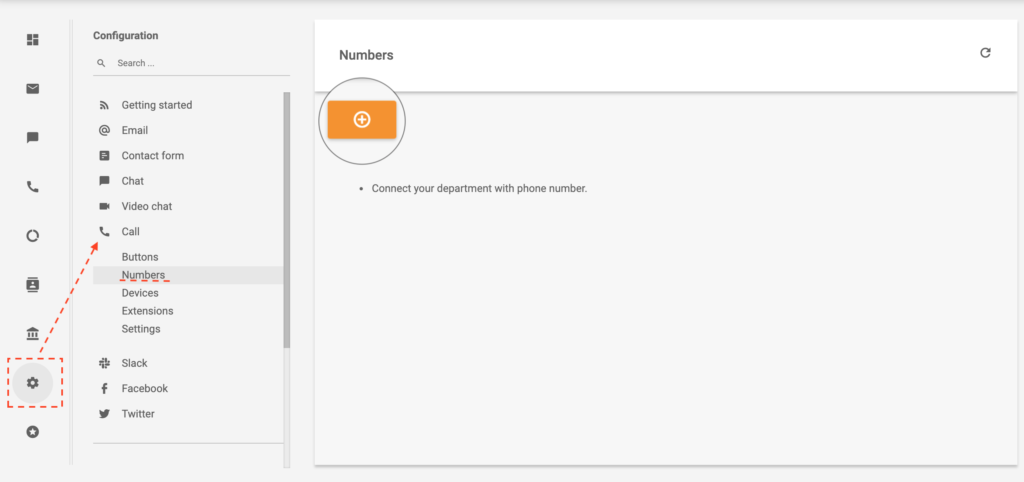
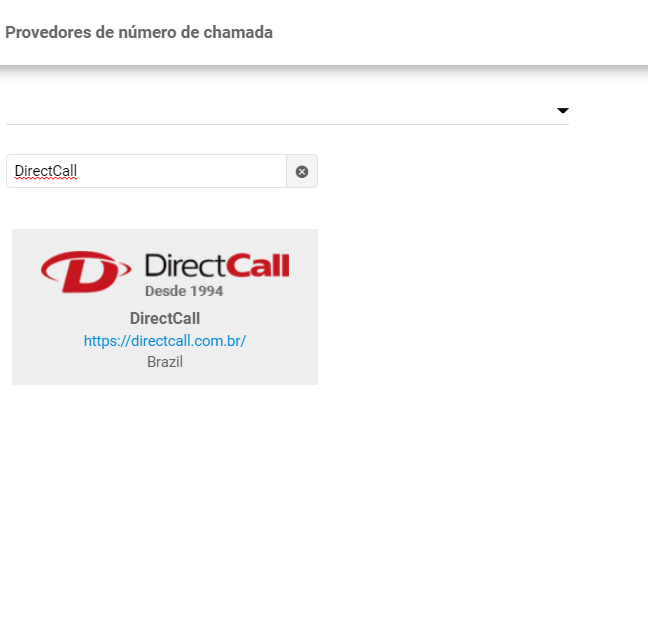
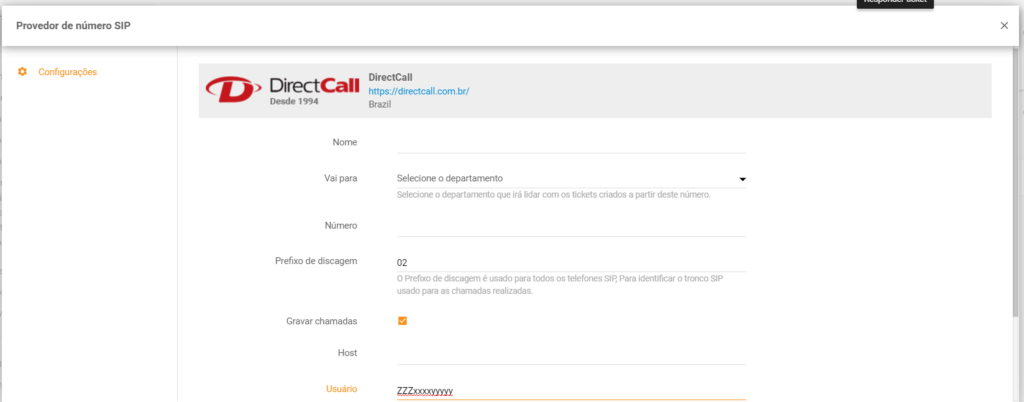
DirectCall和LiveAgent是合作伙伴。因此,如果您拥有LiveAgent订阅,集成是免费的。但是,DirectCall对其服务收费,因为该公司独立运营。

最新技巧与优惠直达您的邮箱。
想了解更多关于呼叫中心软件如何运作的信息?请查看下面的视频。

Voip do Brasil 自 2008 年以来一直在巴西提供顶级 VoIP 解决方案。现已与 LiveAgent 集成,使企业能够轻松、经济高效地进行通信,无需支付 LiveAgent 的额外费用。Voip do Brasil 单独收费提供其服务。...
BR DID在巴西900多个城市提供VoIP解决方案。与LiveAgent合作,集成免费,提供30天试用期。通过移动应用、IP电话和PBX系统享受经济高效、可扩展的通信。...
Virtual-Call提供顶级语音服务、云PBX、SIP中继和Microsoft Teams直接路由,为全球企业服务。与LiveAgent无缝集成,无需额外费用即可改善连接。...