


BigCommerce
将 BigCommerce 与 LiveAgent 集成,通过向您的商店添加实时聊天按钮来增强客户支持。BigCommerce 提供全面的电子商务解决方案,LiveAgent 的集成使实时聊天设置变得容易。免费试用以提升用户体验!...
2 分钟阅读


将 LiveAgent 的聊天与 CoreCommerce 集成,以增强电子商务支持。享受无交易费用、轻松设置和免费 14 天试用。通过分步指导为您的商店添加实时聊天,增强客户服务。
要在您的 CoreCommerce 网站上放置 LiveAgent 的实时聊天按钮,请按照下面的分步集成指南进行操作,或者观看提供的视频。
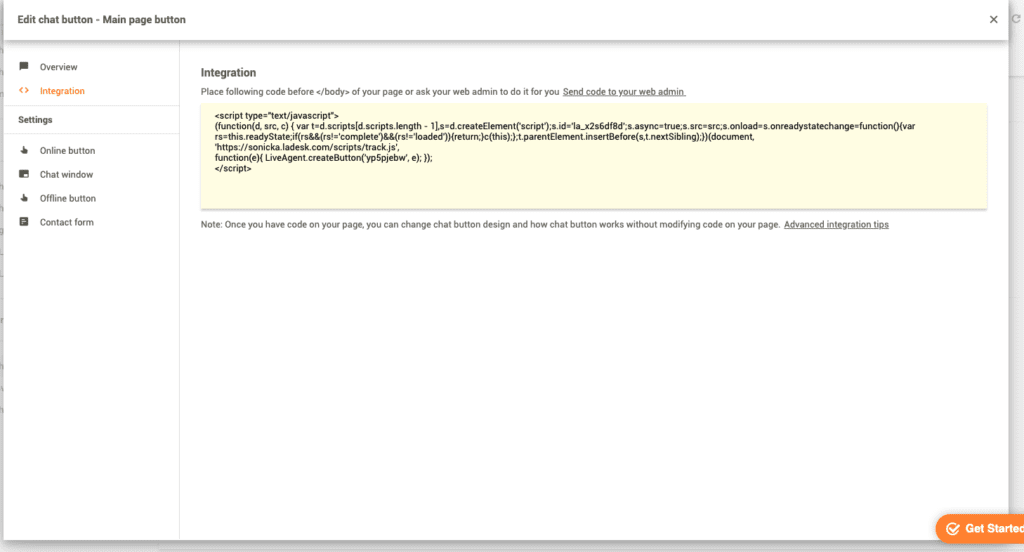
第 1 步:在 LiveAgent 中创建和自定义新的聊天按钮
第一步是在您的 LiveAgent 面板中创建和自定义新的聊天按钮。将其 HTML 代码 (Ctrl+C) 复制到剪贴板。
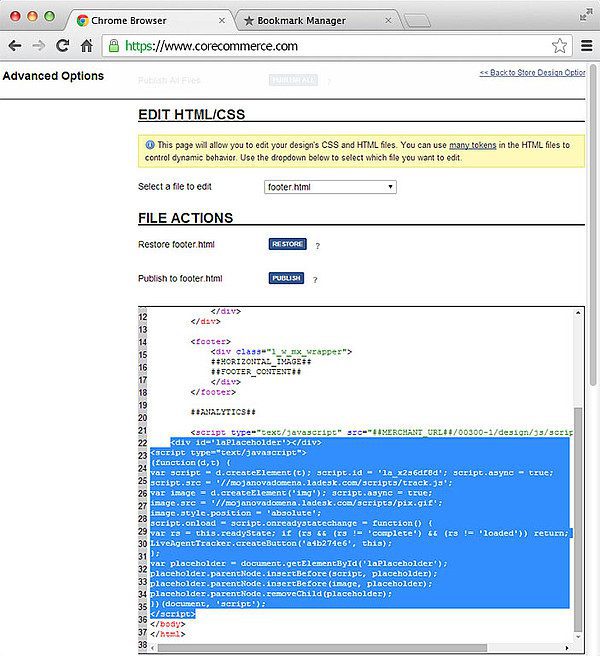
第 2 步:将代码添加到您的 CoreCommerce 商店
转到您的 CoreCommerce 商店管理器并选择设计 > 高级选项 > 编辑 HTML/CSS > footer.html > 在 </body> 行上方粘贴聊天按钮代码 (Ctrl + V) > 点击发布!
第 3 步:验证商店上的聊天按钮
转到您的商店网页,刷新它,您的聊天按钮就可以使用了。
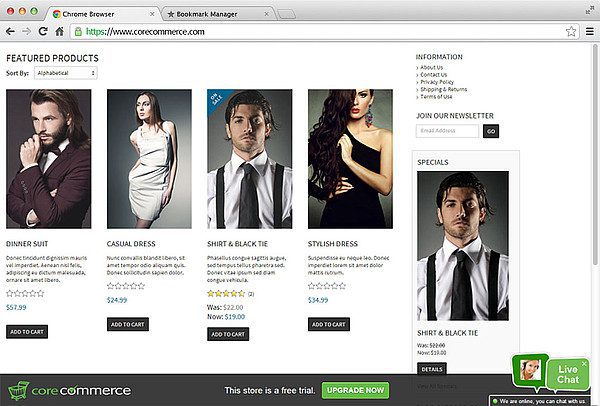
使用我们的一体化托管购物车创建您的电子商务商店!无交易费用、简单设置,无论您选择哪个计划,都可以访问数百项功能。访问 CoreCommerce 网站了解更多信息。

最新技巧与优惠直达您的邮箱。
LiveAgent 的 CoreCommerce 集成使您能够在 CoreCommerce 商店上放置实时聊天按钮。实时聊天是客户与企业联系、提出问题、获取信息和解决购买或使用产品时可能遇到的问题的好方法。
拥有优质的客户支持可以让客户更满意、提高客户满意度并改善客户体验。只需在您的网站上放置一个聊天按钮即可。
将 BigCommerce 与 LiveAgent 集成,通过向您的商店添加实时聊天按钮来增强客户支持。BigCommerce 提供全面的电子商务解决方案,LiveAgent 的集成使实时聊天设置变得容易。免费试用以提升用户体验!...
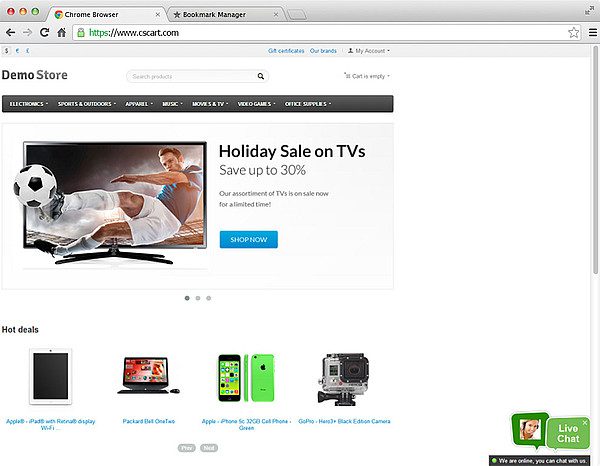
CS-Cart是一个电子商务解决方案,提供库存控制和促销工具等功能。LiveAgent与CS-Cart集成,添加可定制的聊天按钮,提高销售和客户满意度。...

在您的Adobe Business Catalyst网站上轻松集成LiveAgent的在线聊天。Adobe Business Catalyst是为网页设计师提供的综合网站和营销解决方案。按照指南操作,通过在线聊天增强您的客户服务。...